
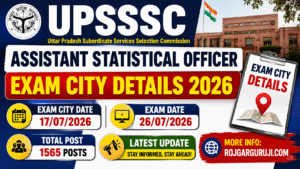
Short Information: The Uttar Pradesh Subordinate Services Selection Commission (UPSSSC) has released the Exam City Details 2026 for the Assistant Statistical Officer (ASO) recruitment examination. Candidates can now check their allotted exam city before the examination date. This helps applicants plan their travel in advance. Candidates should also keep checking the official UPSSSC website for the admit card and other important updates.
UPSSSC Assistant Statistical Officer Exam City Details 2026
| Important Dates | |||||||||||||||||||||||||||||||||||||||||||||||||||||||||||
| Form Starting Date | 21 April 2026 | ||||||||||||||||||||||||||||||||||||||||||||||||||||||||||
| Last Date to Apply Online | 15 May 2026 | ||||||||||||||||||||||||||||||||||||||||||||||||||||||||||
| Last Date to Pay Fee | 15 May 2026 | ||||||||||||||||||||||||||||||||||||||||||||||||||||||||||
| Last Date for Form Correction | 22 May 2026 | ||||||||||||||||||||||||||||||||||||||||||||||||||||||||||
| Eligibility Result Date | 27 June 2026 | ||||||||||||||||||||||||||||||||||||||||||||||||||||||||||
| Exam City Check Date | 17 July 2026 | ||||||||||||||||||||||||||||||||||||||||||||||||||||||||||
| Main Exam Date | 26 July 2026 | ||||||||||||||||||||||||||||||||||||||||||||||||||||||||||
| Admit Card Date | Available a few days before the exam | ||||||||||||||||||||||||||||||||||||||||||||||||||||||||||
| Application Fee | |||||||||||||||||||||||||||||||||||||||||||||||||||||||||||
| General / OBC / EWS | Rs. 25/- | ||||||||||||||||||||||||||||||||||||||||||||||||||||||||||
| SC / ST | Rs. 25/- | ||||||||||||||||||||||||||||||||||||||||||||||||||||||||||
| PH (Divyang/Disabled) | Rs. 25/- | ||||||||||||||||||||||||||||||||||||||||||||||||||||||||||
| Payment Method(Online) | using SBI I-Collect or offline through E-Challan | ||||||||||||||||||||||||||||||||||||||||||||||||||||||||||
| Age Limits | |||||||||||||||||||||||||||||||||||||||||||||||||||||||||||
| Age Limits as on 01/07/2026 | |||||||||||||||||||||||||||||||||||||||||||||||||||||||||||
| Minimum Age | 21 Years | ||||||||||||||||||||||||||||||||||||||||||||||||||||||||||
| Maximum Age | 40 Years | ||||||||||||||||||||||||||||||||||||||||||||||||||||||||||
| Extra Relaxation: If you belong to reserved categories like OBC, SC, ST, or PH, the government will give you extra years in the upper age limit as per the official rules. | |||||||||||||||||||||||||||||||||||||||||||||||||||||||||||
| Vacancy Details | |||||||||||||||||||||||||||||||||||||||||||||||||||||||||||
| Name of the Post | Assistant Statistical Officer (ASO) | ||||||||||||||||||||||||||||||||||||||||||||||||||||||||||
| Total Posts:1565 Posts | |||||||||||||||||||||||||||||||||||||||||||||||||||||||||||
| Note: These posts are divided among General, EWS, OBC, SC, and ST categories. You can check the exact category-wise numbers in the official notice. | |||||||||||||||||||||||||||||||||||||||||||||||||||||||||||
| Educational Qualification | |||||||||||||||||||||||||||||||||||||||||||||||||||||||||||
|
|||||||||||||||||||||||||||||||||||||||||||||||||||||||||||
| Document Required | |||||||||||||||||||||||||||||||||||||||||||||||||||||||||||
|
|||||||||||||||||||||||||||||||||||||||||||||||||||||||||||
| Selection Process | |||||||||||||||||||||||||||||||||||||||||||||||||||||||||||
|
|||||||||||||||||||||||||||||||||||||||||||||||||||||||||||
| Important Note | |||||||||||||||||||||||||||||||||||||||||||||||||||||||||||
| 1. Always try to fill out your form before the last date to avoid heavy traffic on the website. 2. Before clicking the final “Submit” button, please read all your spellings and details carefully. 3. After submitting the form and paying the fee, do not forget to take a printout for future reference. |
|||||||||||||||||||||||||||||||||||||||||||||||||||||||||||
| How To Download Admit Card | |||||||||||||||||||||||||||||||||||||||||||||||||||||||||||
| 1. Option 1 (Using Personal Details): Go to the candidate login page. Enter your PET Registration Number, Date of Birth, Gender, Domicile, and Category. 2. Option 2 (Using OTP Method): Enter your UPSSSC PET 2025 Registration Number. Type the OTP sent to your registered mobile number. 3. Once your dashboard opens, you can see your exam city details and download your admit card in PDF format. |
|||||||||||||||||||||||||||||||||||||||||||||||||||||||||||
| IMPORTANT LINKS | |||||||||||||||||||||||||||||||||||||||||||||||||||||||||||
| Check Exam City Details | Click Here | ||||||||||||||||||||||||||||||||||||||||||||||||||||||||||
| Download Exam City Notice | Click Here | ||||||||||||||||||||||||||||||||||||||||||||||||||||||||||
| Download Eligibility Result | Click Here | ||||||||||||||||||||||||||||||||||||||||||||||||||||||||||
| Download Eligibility Result Notice | Click Here | ||||||||||||||||||||||||||||||||||||||||||||||||||||||||||
| Apply Online | Click Here | ||||||||||||||||||||||||||||||||||||||||||||||||||||||||||
| Download Date & Vacancy Increase Notice | Click Here | ||||||||||||||||||||||||||||||||||||||||||||||||||||||||||
| Download Official Notification | Click Here | ||||||||||||||||||||||||||||||||||||||||||||||||||||||||||
| Official Website | Click Here | ||||||||||||||||||||||||||||||||||||||||||||||||||||||||||
Examination Details
The UPSSSC Assistant Statistical Officer (ASO) Exam City Details 2026 are available online through the official UPSSSC portal. Candidates need to log in with their required credentials to view their allotted exam city.
The exam city slip only shows the city where the examination will be held. It is not the admit card. The admit card will be released separately before the examination.
Candidates should carefully check all details mentioned in the exam city slip. If there is any mistake, they should contact UPSSSC as soon as possible.
On the exam day, candidates must carry:
- A printed copy of the admit card.
- A valid photo ID proof.
- Any other document mentioned in the official instructions.
Candidates should reach the examination centre before the reporting time to avoid any last-minute problems. They should also follow all examination rules and instructions issued by UPSSSC.
Salary Details
Selected candidates for the Assistant Statistical Officer (ASO) post will receive a salary according to the 7th Pay Commission and UPSSSC rules.
Key salary details include:
- Pay Level: As per the official recruitment notification.
- Basic Pay: According to the approved pay matrix.
- Allowances: Dearness Allowance (DA), House Rent Allowance (HRA), Travel Allowance (TA), and other government benefits as applicable.
- Other Benefits: Medical facilities, paid leave, pension-related benefits (as per government rules), and career promotion opportunities.
The final salary depends on the posting location, government rules, and applicable allowances.
Important Questions
Q1. What is the UPSSSC Assistant Statistical Officer Exam City Details 2026?
It is a document that informs candidates about the city where their examination will be conducted.
Q2. Is the Exam City Slip the same as the Admit Card?
No. The exam city slip only shows the allotted exam city. The admit card will be released separately.
Q3. How can I check my exam city details?
You can check it by visiting the official UPSSSC website and logging in with your required details.
Q4. What documents should I carry on the exam day?
Carry your admit card, a valid photo ID proof, and any other document mentioned in the official instructions.
Q5. What salary is offered for the Assistant Statistical Officer post?
The salary is provided according to the 7th Pay Commission, along with applicable government allowances and benefits.
Q6. What should I do if there is an error in my exam city details?
You should immediately contact the UPSSSC authorities through the official support channels.